NOTE🚨
This is virtually practical, less irrelevant theory!
NO special knowledge, nor prior conventional school attendance needed, to be able to read, identify, edit, EEPROM data,
but HAPA UJANJA tu😎!
Click Here to return ukitaka zile zig zag!
Our nonsense is targeting out sensitive dots, try connect them so You become EEPROM data‘s ‘mjanja’!
Jah bless🤞!
 The word, EEPROM, stands for;
” Electrically Erasable Programmable Read-Only Memory “!
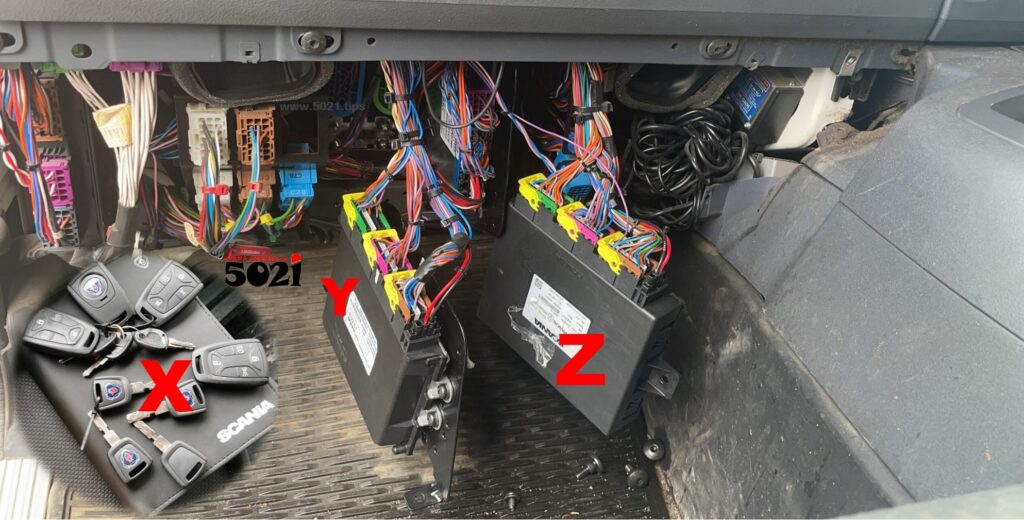
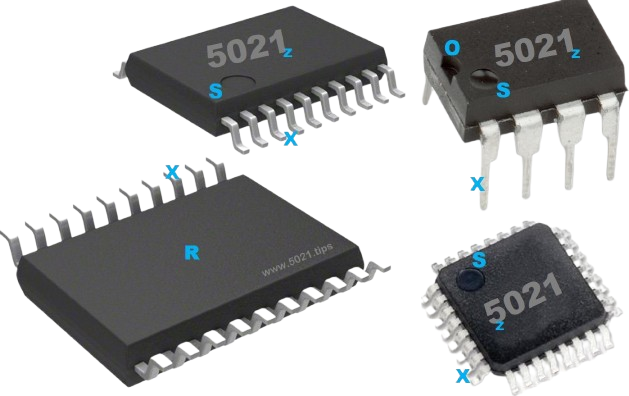
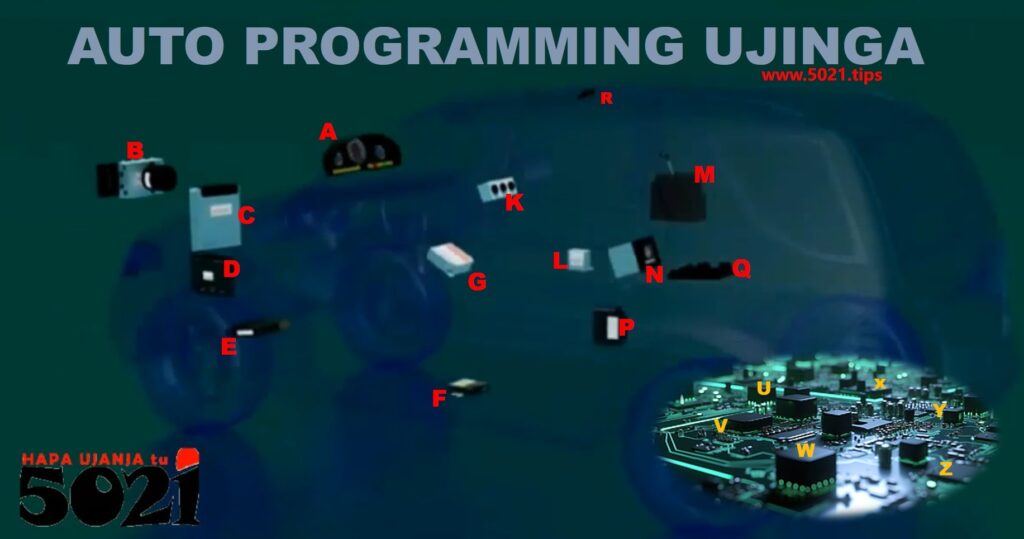
Simply, EEPROM is also 👇that ‘big thing’ C, D, A, not only 👇the ‘tiny thing’ B, that comes to any’s mind on hearing the word EEPROM👌!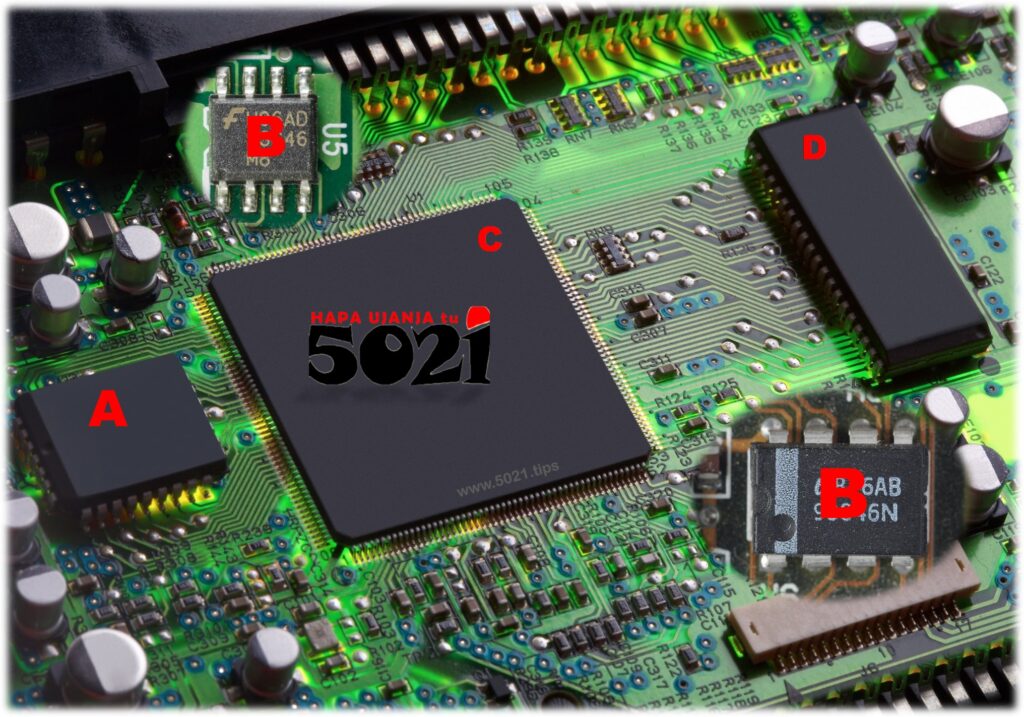
In fact,
EEPROMs are serial EEPROM, and parallel EEPROM,
which differ in how they transfer data😎!
The serial EEPROMs, ☝like B, slowly transfers data in series, just like how You watch the one long SOZI movie/film, in series’ small parts on TV, episode by episode, seen🤔?
Parallel EEPROMs, ☝like A,C,D, transfer data in multiple bits simultaneously, which is faster but requires more pins and is physically larger🧐!
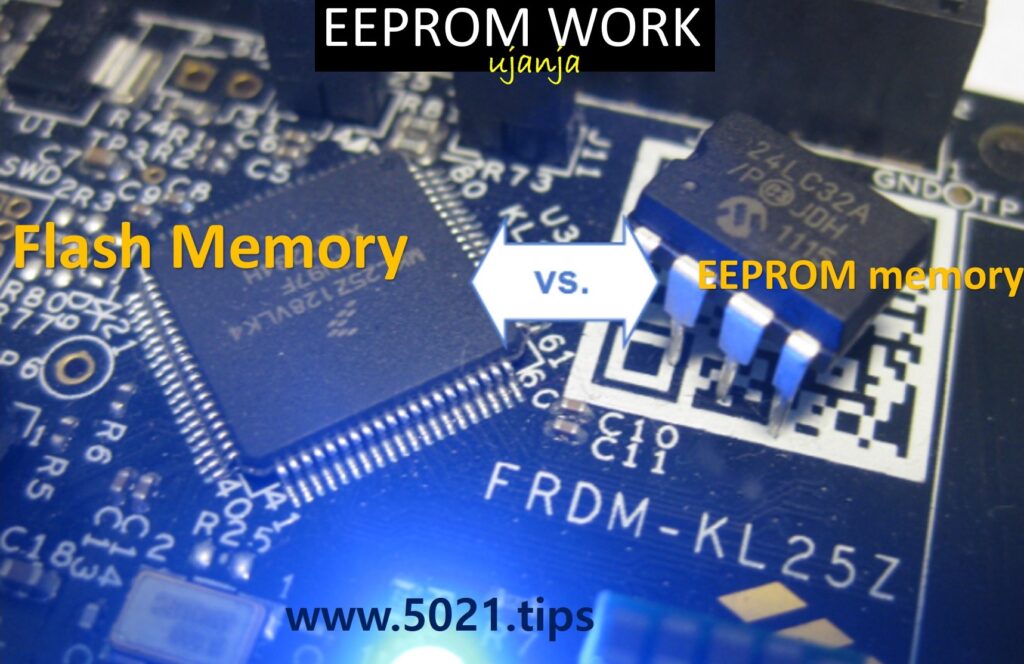
That brings us to the nonsense of,
FLASH data in Parallel EEPROMs,
EEPROM data in serial EEPROMs!

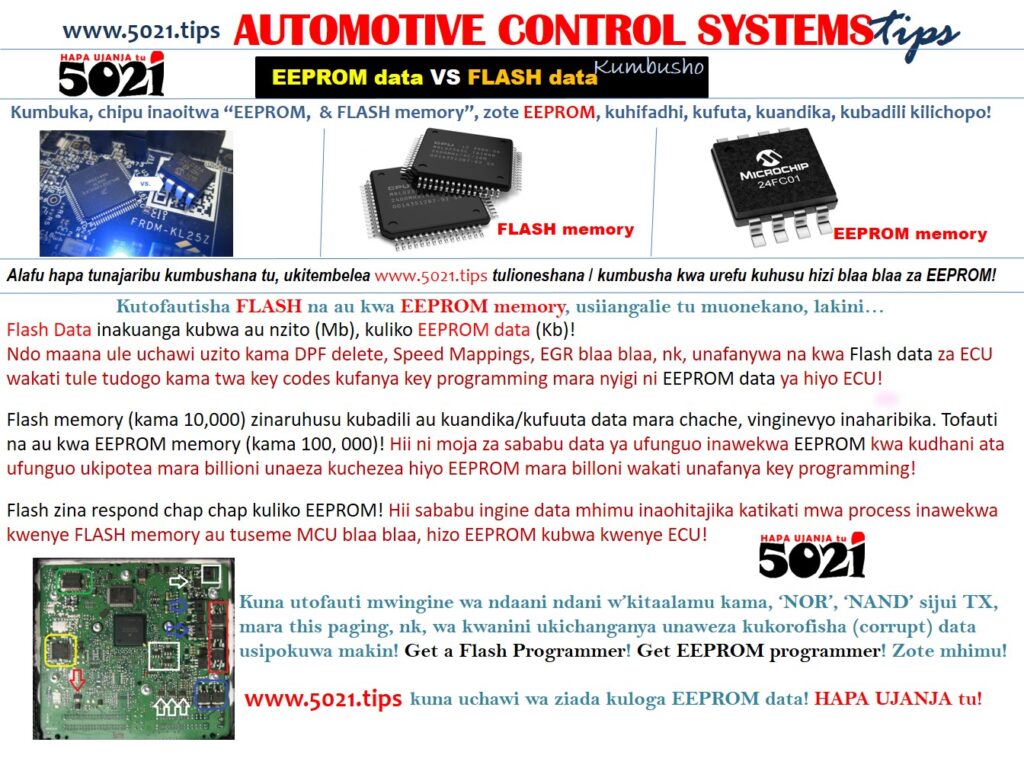
 Writing too much could make My nonsense more long & wrong🤐,
so let Me dictatorially summarize the ” Electrically Erasable Programmable Read-Only Memory ” EEPROM blaa bla, as follows🤔!
In EEPROM, the context of “Read-Only Memory” 🤔?
On the motherboard, ama Circuits’ Board,
whichever Electronic Component that reads the EEPROMs, A,B,C,D, just reads without deleting, editing nor doing any “extreme” nonsense to the data🤞!
ONYO🧷
Some special EEPROM’s data sectors can be modified in-circuit, by other Electronic Components on the Circuit Board!
This makes it ideal for storing configuration settings and other data that might need to be updated, seen🤔?
For example, ☝ C could, momentarily (volatilely) temporarily, write (keep) some data in memory A or D🤷♂️!
In fact, so is why some gadget’s battery’s are now hidden so NOT just be tampered with, losing certain configurations!
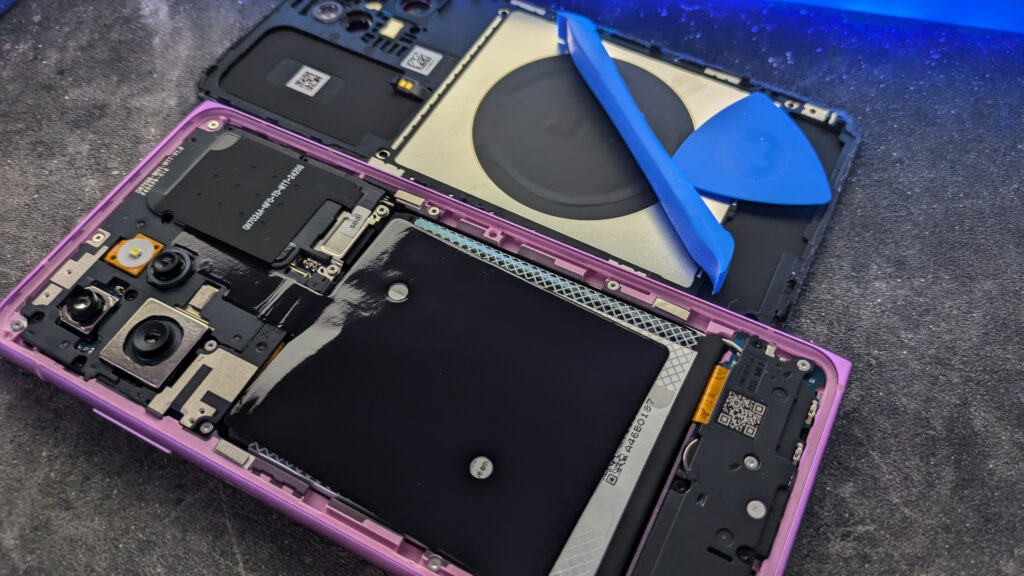
You notice how today’s Cars’ batteries, phones’ batteries are not just accessible!
Insha’Allah, there may be a situation where you must read the data from a device’s memory, without powering off the whole electrical component, gadget,
…otherwise the intended data could disappear when power disappears🤷♂️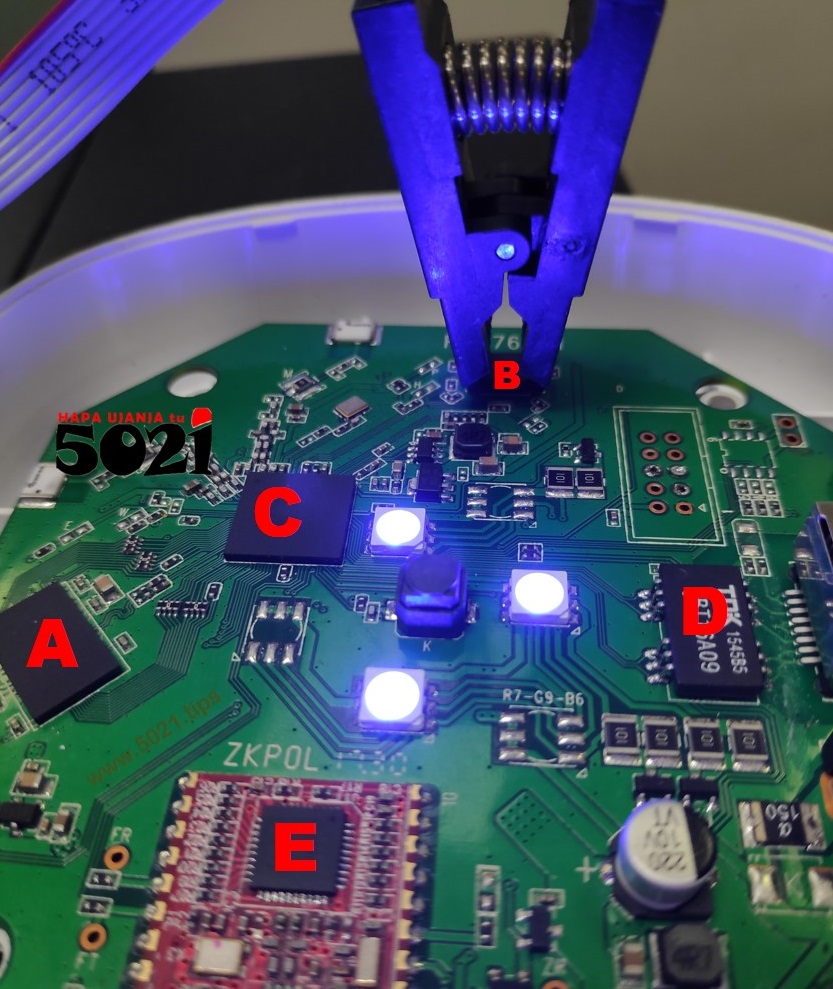
In EEPROM, the context of; “Electrically Erasable Programmable”
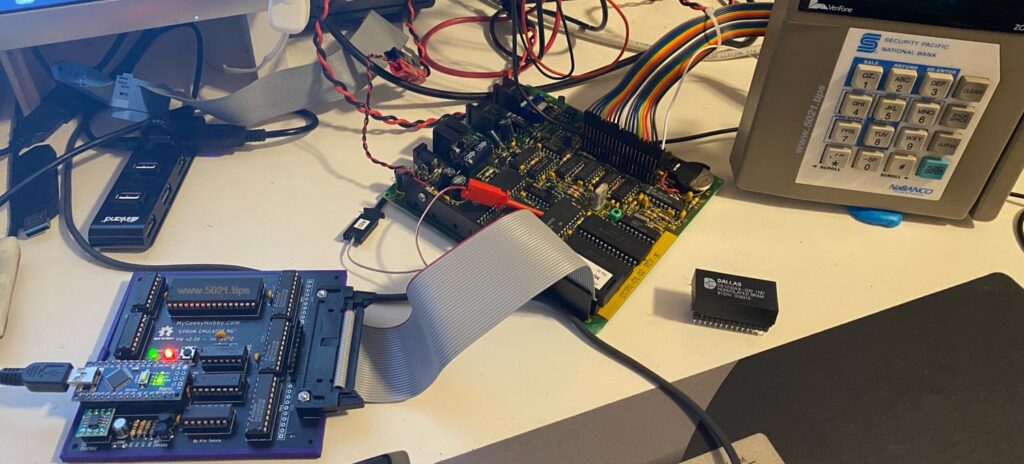
Data in the EEPROM can be, as many times, Erased, Deleted, Edited or Written (programmed) using external electrical means, by anyone, including You, bomboclat😜!
ONYO📚
Some manufacturers can mask the EEPROM whereby it’s data is permanently set, locked, during manufacturing!
You can’t read/modify the data!
For example👇
To hack certain Vehicles using new data, You may have to change, replace the EEPROM, rather than reading & editing the Data!
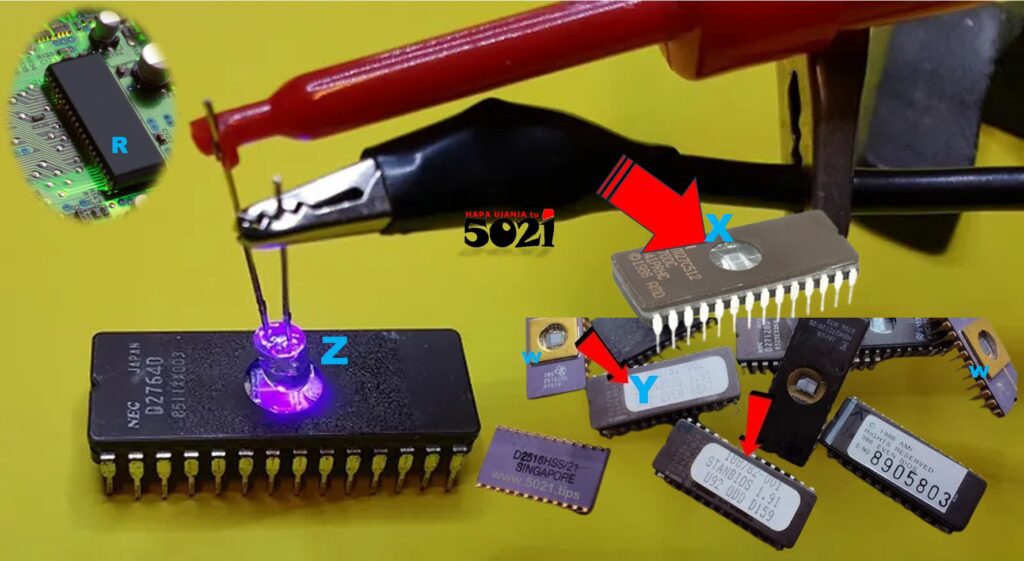
The EEPROM,
” Electrically Erasable Programmable Read-Only Memory “,
is that it can be erased and reprogrammed using electrical signals,
unlike older,
EPROM
” Erasable Programmable Read-Only Memory”
that required an ultraviolet light source.
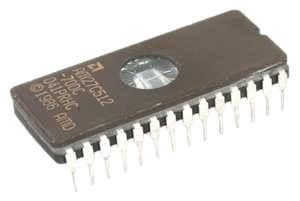
 Whatever writings on the EEPROM don’t represent which exact data in the EEPROM, but the physical, technical setup of that EEPROM carrying the Data!

Imagine, the passport of TRINIDAD or BOTSWANA is general for everyone, so that is the EEPROM id!
While the specific details in the passport, like being a Bakwena, Bangwato, Bakgatla, or Kalanga, Bakgalagadi, Basarwa, Basubiya, is the specific data in the EEPROM! Seen🤔?
The BOTSWANA passport (e.g EEPROM 93C56) comes blank, then whatever specific data is inserted!
As long as it’s EEPROM 93C56, use it anywhere that is designed for EEPROMs 93C56 to be used!
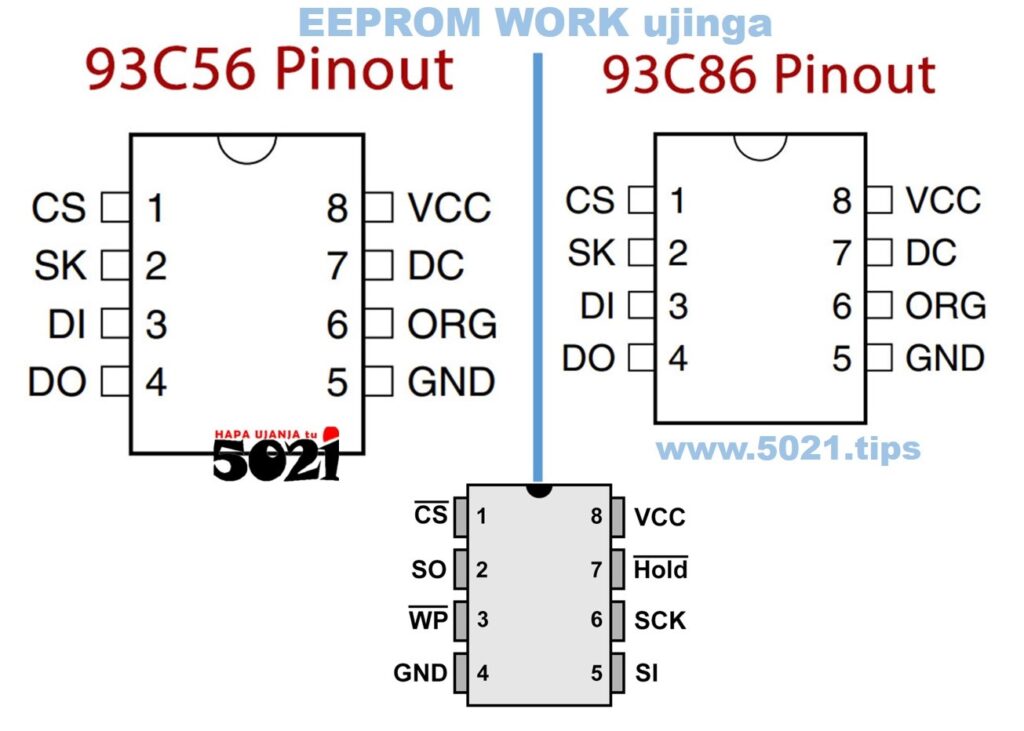 That nonsense of what 93C56 means, and whatever pinouts,
this information is freely available everywhere!
For example CLICK HERE
 The DOT, or MARK, S, just like, O, is very important on knowing how to arrange the EEPROM’s pins!
The data in the EEPROM is fundamentally stored as binary data.
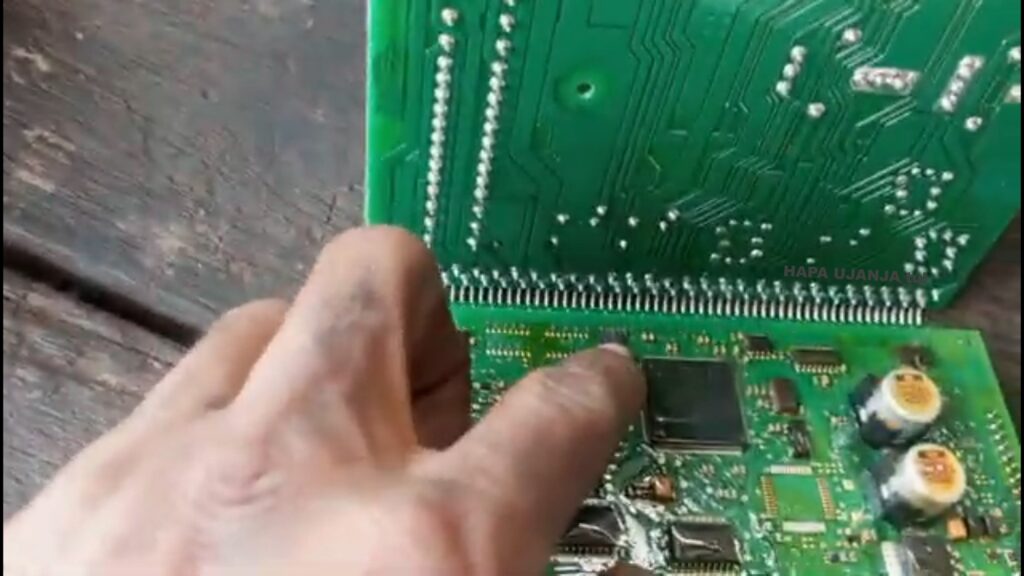 Like all digital memory, EEPROM uses transistors to store electrical charges that represent one of two states:
0 or 1 (bits).

You realize how ☝ these so many 0000 and 11111 can be confusing for You (not ME🤪) to be able to identify, edit or disorganize the EEPROM data🤔?
‘Hakuna Matata’, don’t worry, BECUASE,
while inside the EEPROM the data is stored in a binary format,
BUT, masha’Allah,
it is not limited to be represented only binary values in Your face🤷♂️!
Below👇 here, are You able to see some familiar numbers🤔?
That You can even memorize as the data is moving🧐?
Below👇, do these letters and numbers kinda look familiar🤔?
and locatable🧐?
Niiga, these digits are NOT even moving to further confuse You🤪!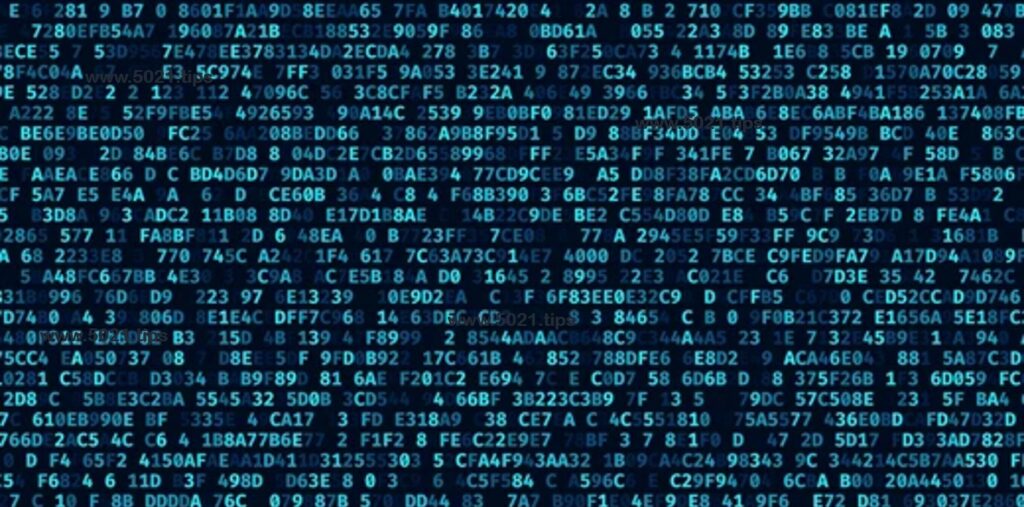 Yes, the EEPROM only understand binary,
the confusing many 0000 and 11111,
BUT,
…these binary, the confusing many 0000 and 11111 can be “translated” decoded, as in, represented in any other form of data that quickly makes sense to You🤷♂️!
Meaning, You can edit whatever however nonsense as You wish,
then later encoded back into binary so that the EEPROM can understand what You commanded it to do🤷♂️!
Imagine, FROM this
to this
In fact, not even this☝,
but this👇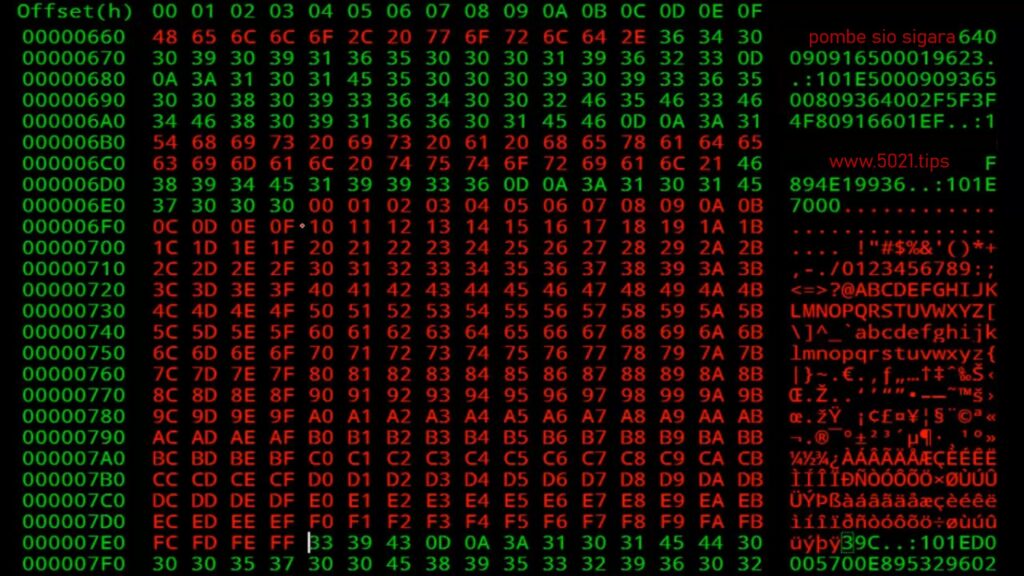 This is what You may call as; HEXADECIMAL language!
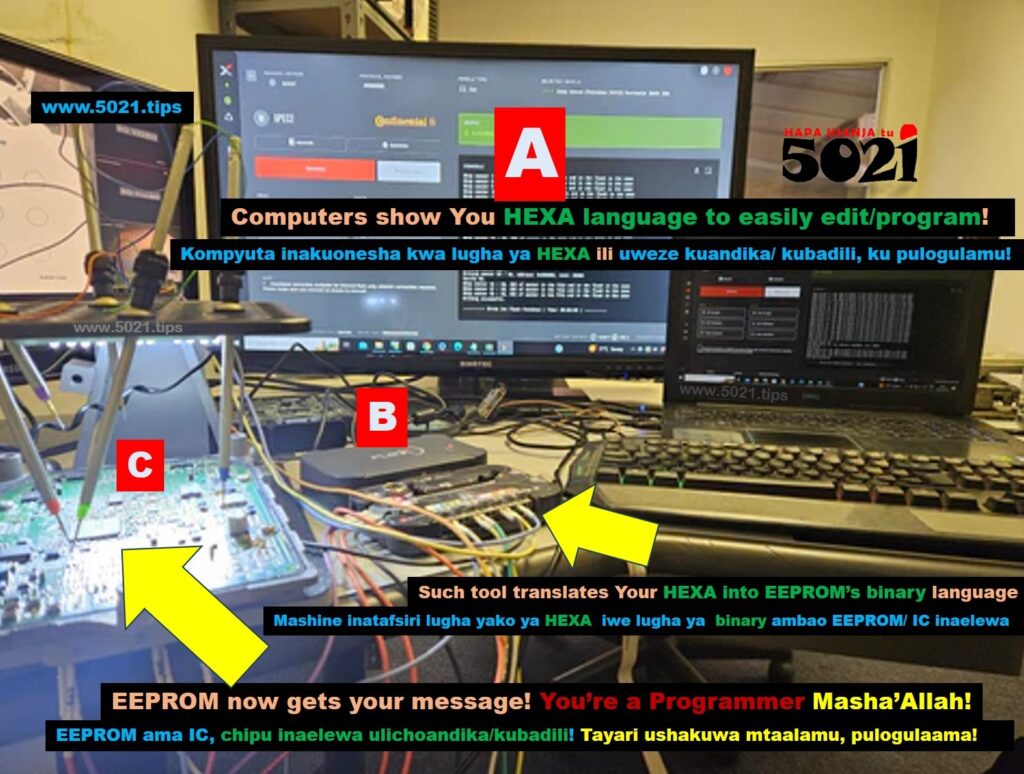
C)The EEPROM understands binary language!
A)You understand the HEXADECIMAL language!
B)There are tools that help translates Your languages🤷♂️
The binary language that the EEPROM understands, is just a base-2 number system that uses only two digits, 0 and 1, to represent all data in computers, seen🤔?
These digits are called bits, where;
a 0 typically means “off” or “false”
and a 1 means “on” or “true”.
Just like 👇 this light!

I failed to find the proper words to explain this binary ‘ujinga’🤔!
But, try to imagine,
Me and You, using☝ this light to communicate🤠!
We agree on some algorithm, like, if within a second,
the light blinks 5 five times, that means letter S!
If it doesn’t blink, as in, it blinks 0 times, then that is letter O!
If blinks 2 times, that is letter Z!
For a 1 time blink, it is letter i, etc!
Meaning, every 1 minute (60 seconds) this light speaks a word!
So if it blinks to, in a sequence of 5021 in a minute, this light is talking about SOZI, bomboclat 😂🤣😁
The blinking and NOT blinking is a bit!
If it blinks it’s bit 1, no blink it’s a bit 0, seen🤔?
Now, forget about the light!
Imagine👇 a transistor, could be type A, BCDEFG up to Z🤪!
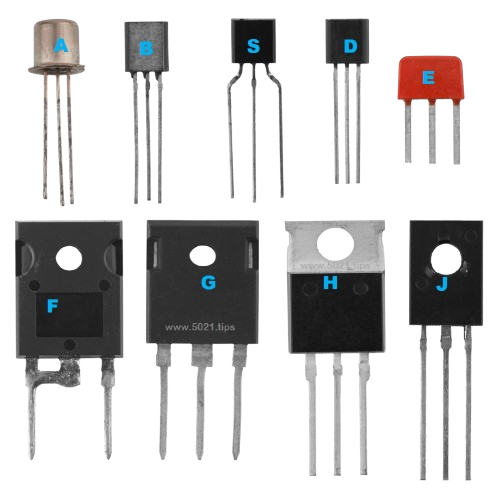 If the transistor doesn’t make sense to You,
Here‘s how a transistor does it’s magic and whatever!
Click here to learn or remember it here!

Sasa, there are so many transistors, and with their ON/OFF signals, they make up an EEPROM👌!
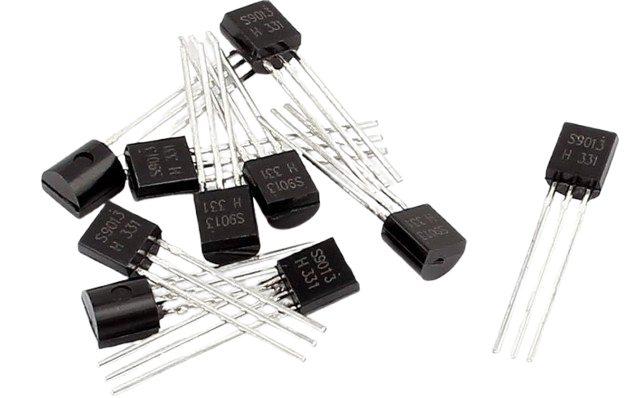
From A, 👇that one tiny transistor is combined with so many others in an EEPROM as shown in B, C, D, E, F their nakedness combined and later covered form G, the EEPROM, seen🤔?
That magic is thoroughly explained HERE!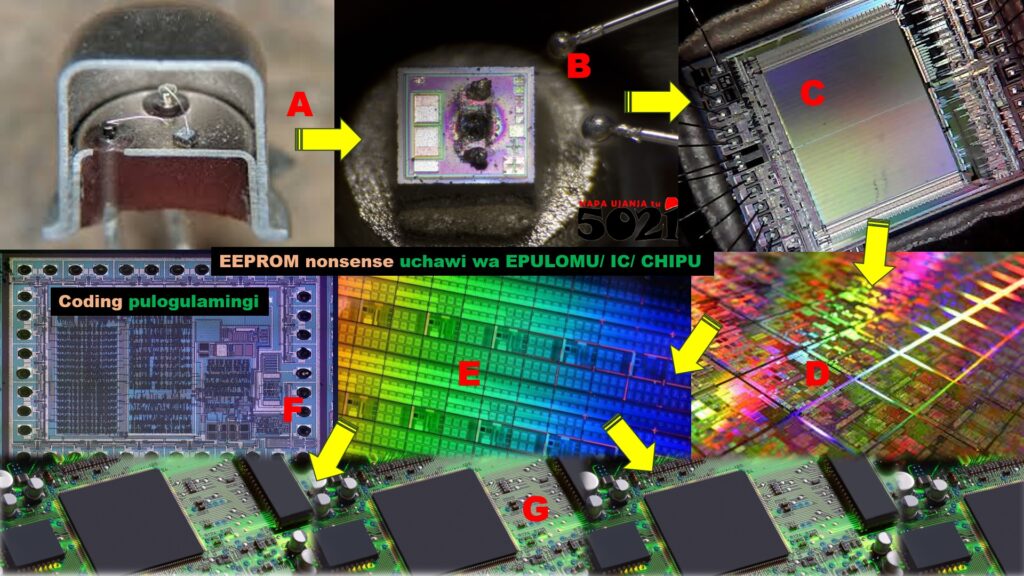
By arranging these bits, the ON and OFF nonsense, EEPROMs can process and store all types of information, text, numbers, images, sound, immo off data, etc!
Remember our ☝example, how the light’s blinking at a 5021 sequence, tuned at a frequency of a message per minute, formed a message SOZI🧐!

How binary works two states, as in, relies on a system with two states which corresponds to the transistors electrical signals in an EEPROM, just like any computer’s hardware.
Remember, a single binary digit, 0 or 1, is called a bit.
A sequence of eight bits is called a Byte, and this combination goes on to represent a much wider range of data, megaByte mB, gigaByte gB, soziByte and others, bomboclat😁🤣😂!
Sasa, remember that nonsense language we’re calling the hexadecimal language🤔?
It’s just a base-16 number system that uses 16 symbols: (0,1,2,3,4,5,6,7,8,9,A,B,C,D,E,F)
The number digits, from 0 through 9!
And the letters from A through F to represent the decimal values 10 through 15.
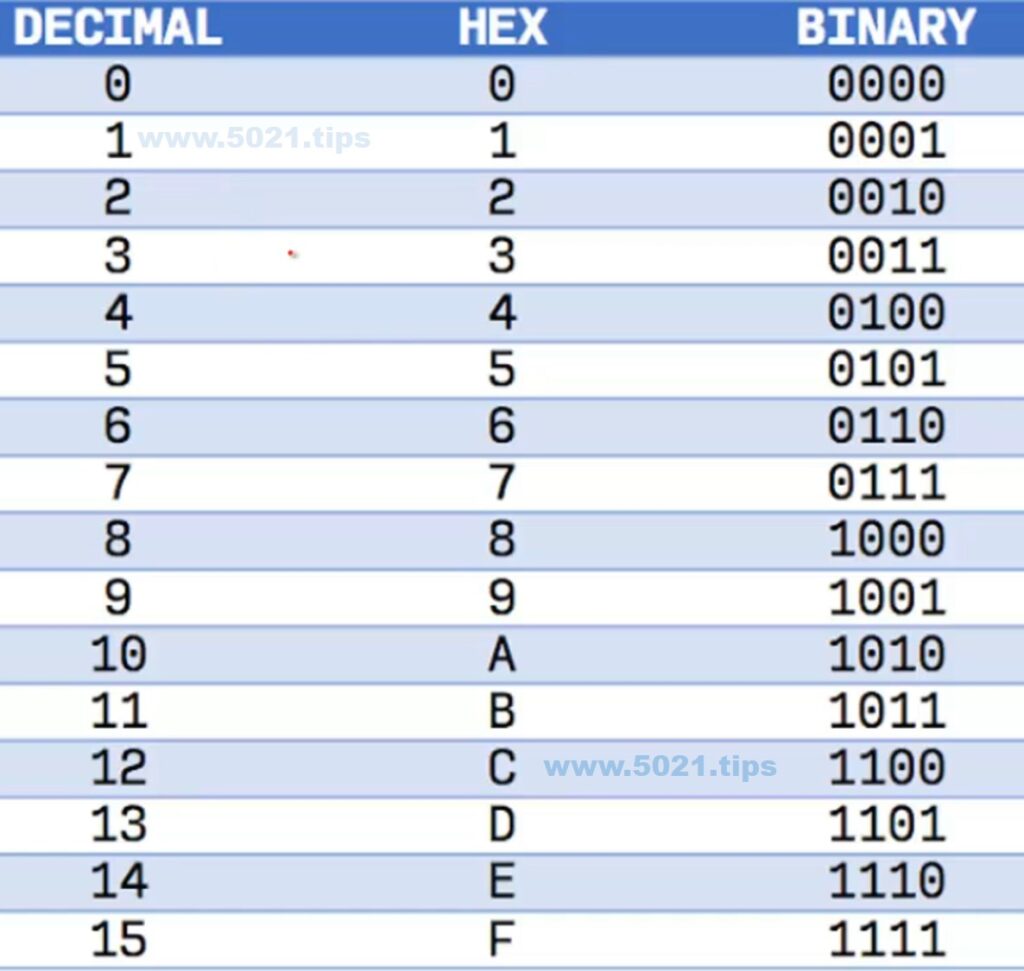 This system is commonly used in computing!
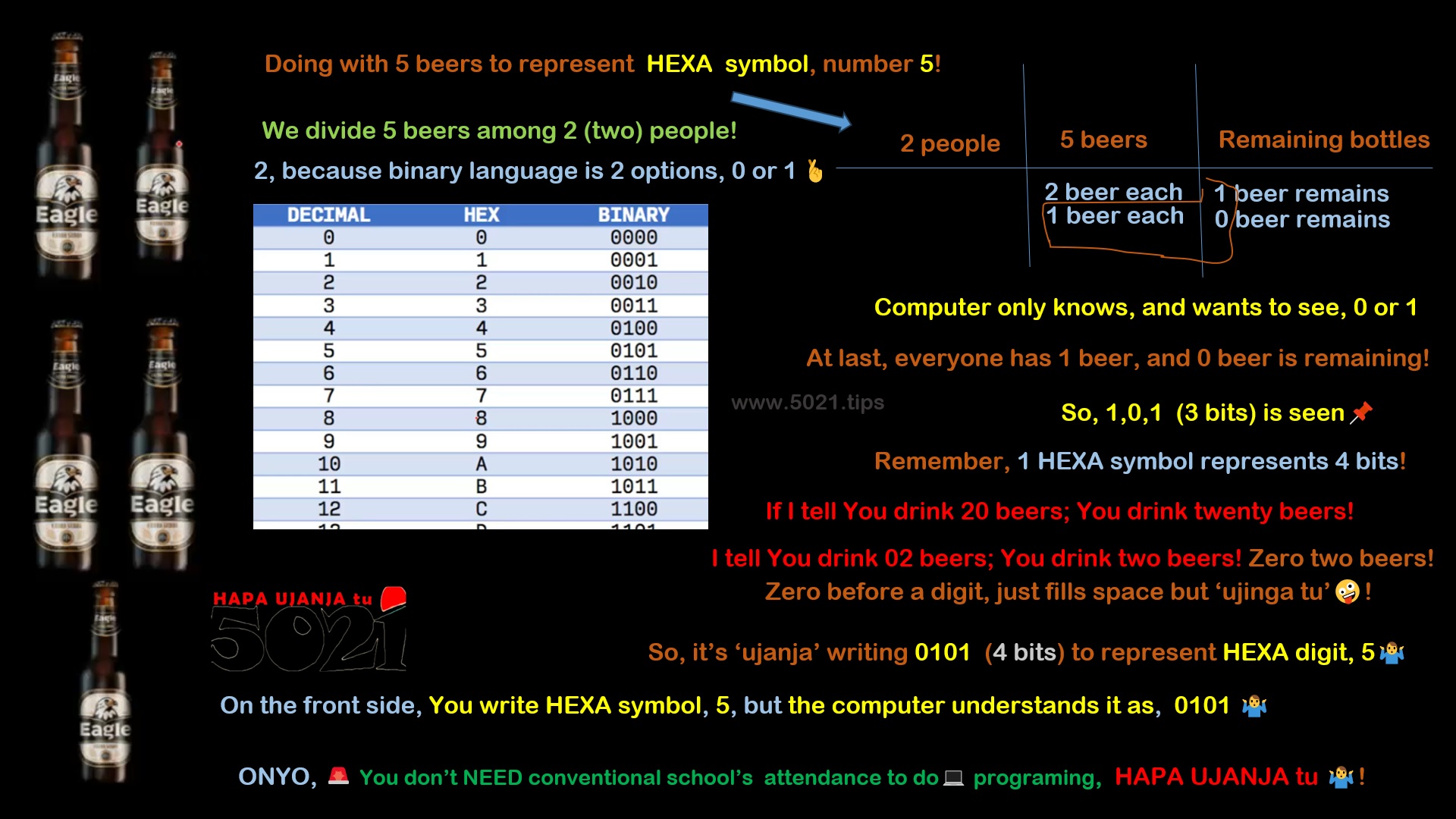
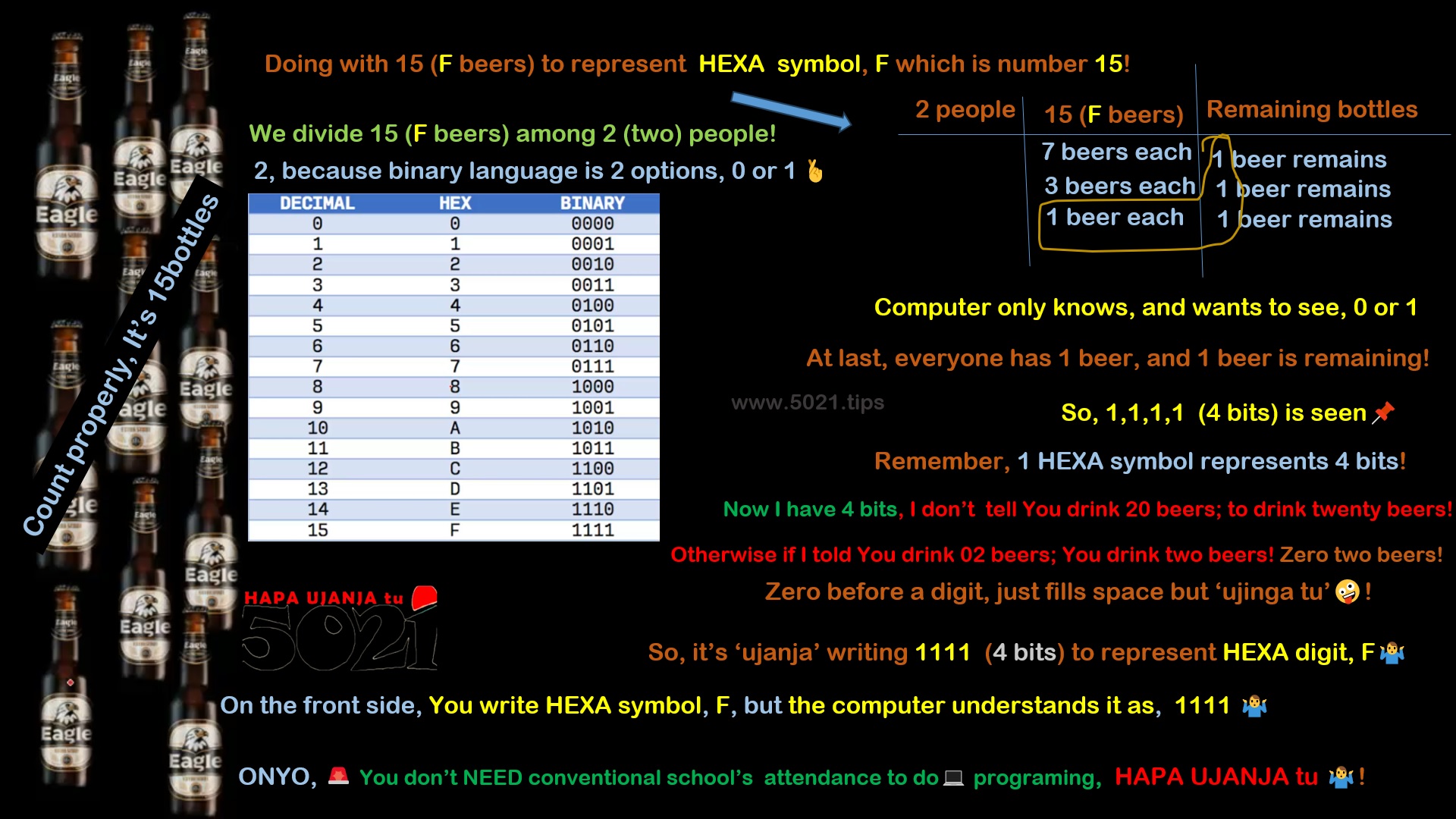
1 (one) HEXADECIMAL symbol represents four 4bits of data, per that digit.
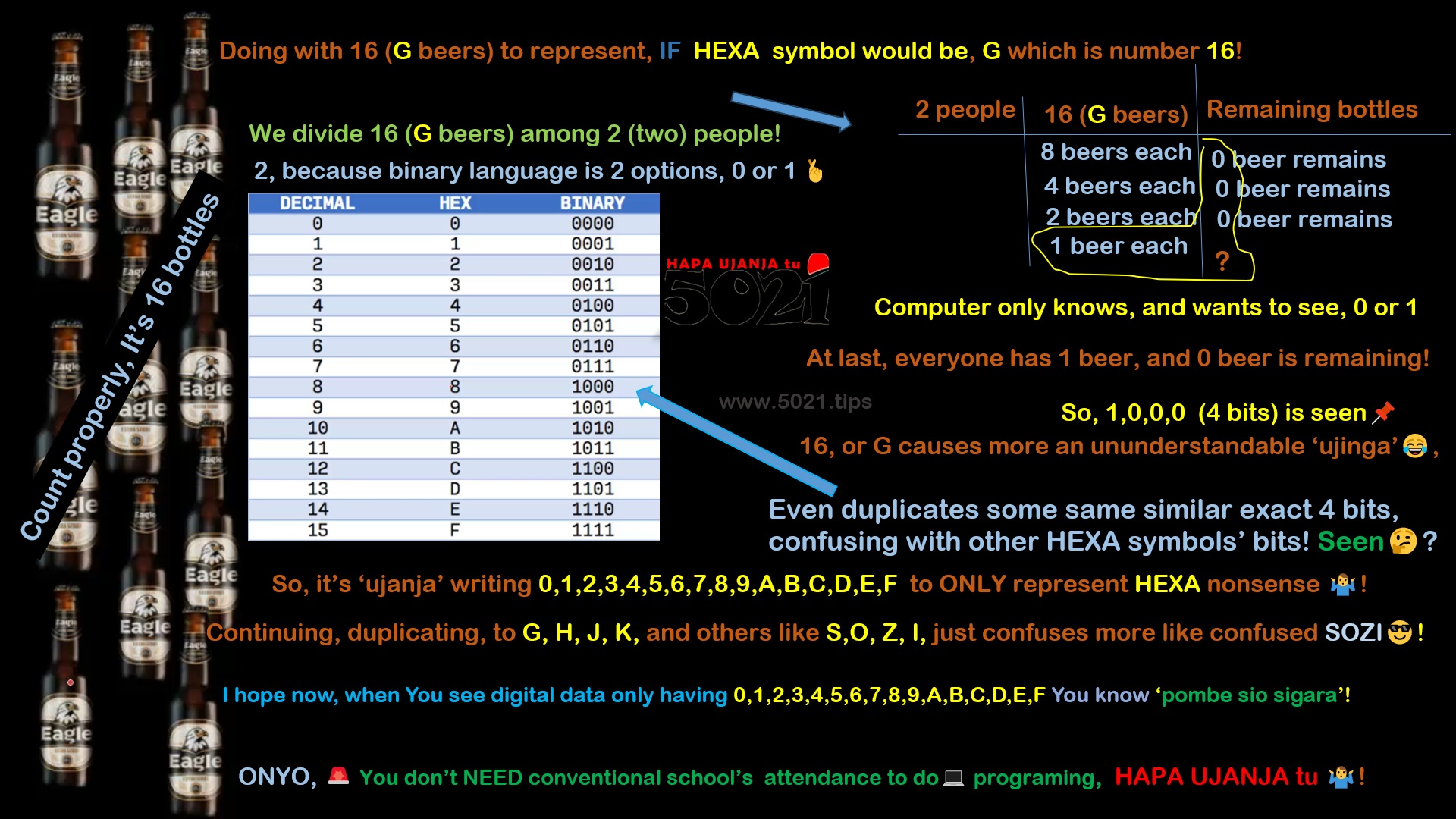
Why it ends at F, and not S nor O, nor Z nor I 🤔?
Remember,
the EEPROM understands binary language, which is 1 or 0,
just 2 options, yuh see meh🤔?
Astaghfirullah,
I’m using this👇 to demonstrate the HEXA language,
insha’Allah🤞
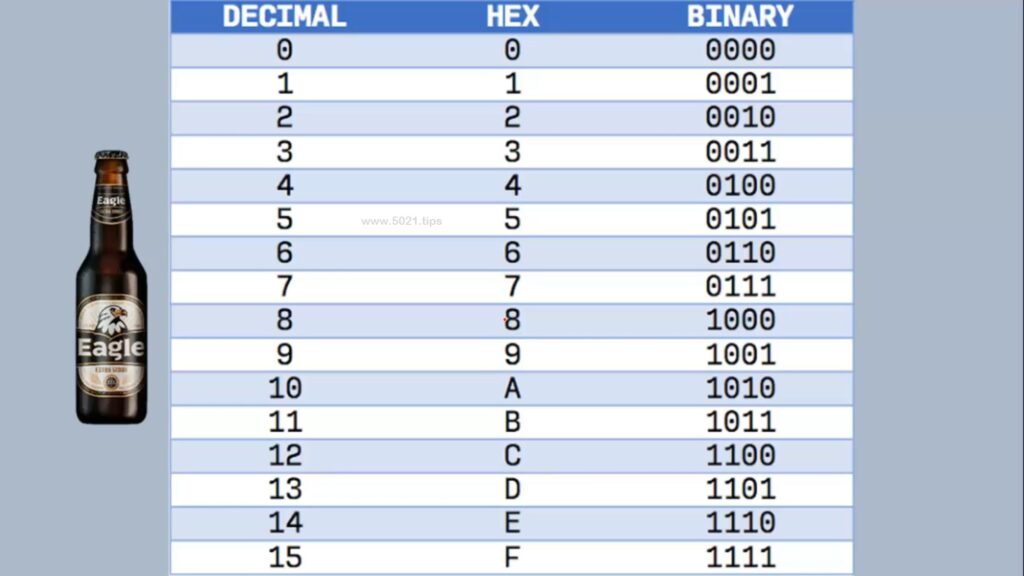
Study these stupid pictures👇
demonstrating HEXADECIMAL language nonsense!
For example👇 this how and why digit 3👇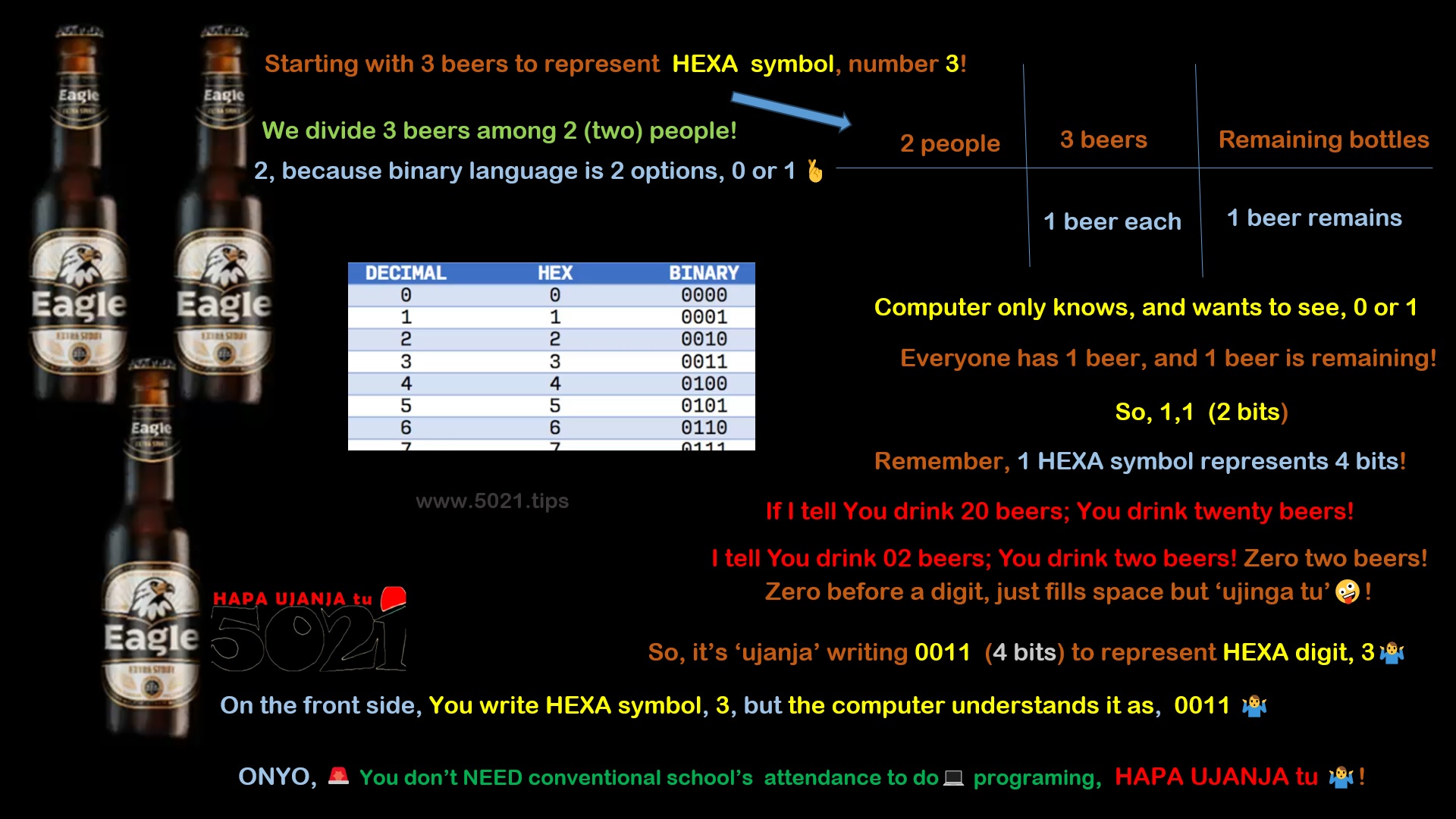 This how and why digit 5👇
 This how and why digit A, which is number 10👇
 This how and why digit F, which is number 15👇
 This how and why, ‘would be‘ digit G, which is number 16👇
 Are You still wondering,
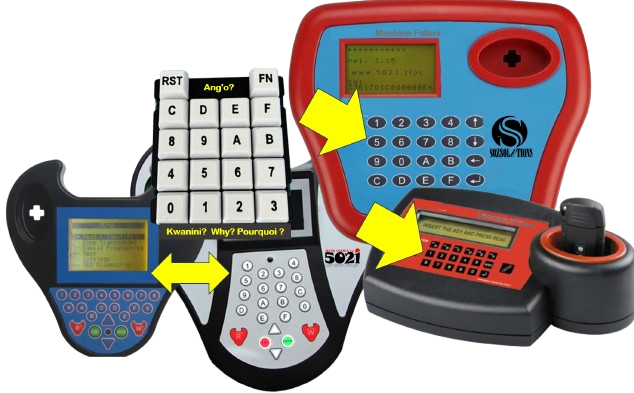
why it ends at F, and not S nor O, nor Z nor I 🤔?
Why a Programming Machine’s keyboard just looks like 👇?
If you still haven’t got it, Click HERE, insert any value while closing Your eyes, insha’Allah🤞Now, You want locate, identify Data🤔?
Try to imagine many, vertical & horizontal, lines meeting at many different points🤔.
At each meeting point, there is something to be found there!
OR,
In fact😂🤣, the way how every place on Earth, has a unique set of geographic coordinates, typically expressed as latitude and longitude.
 This numerical system ensures that any point on the planet’s surface can be accurately identified.
For example, Trinidad is at 5021 degrees South of the North🤪!
So, even in an EEPROM, specific data is located at some specific, unique point, where different HEXADECIMAL coded lines meet each other, vertically & horizontally!
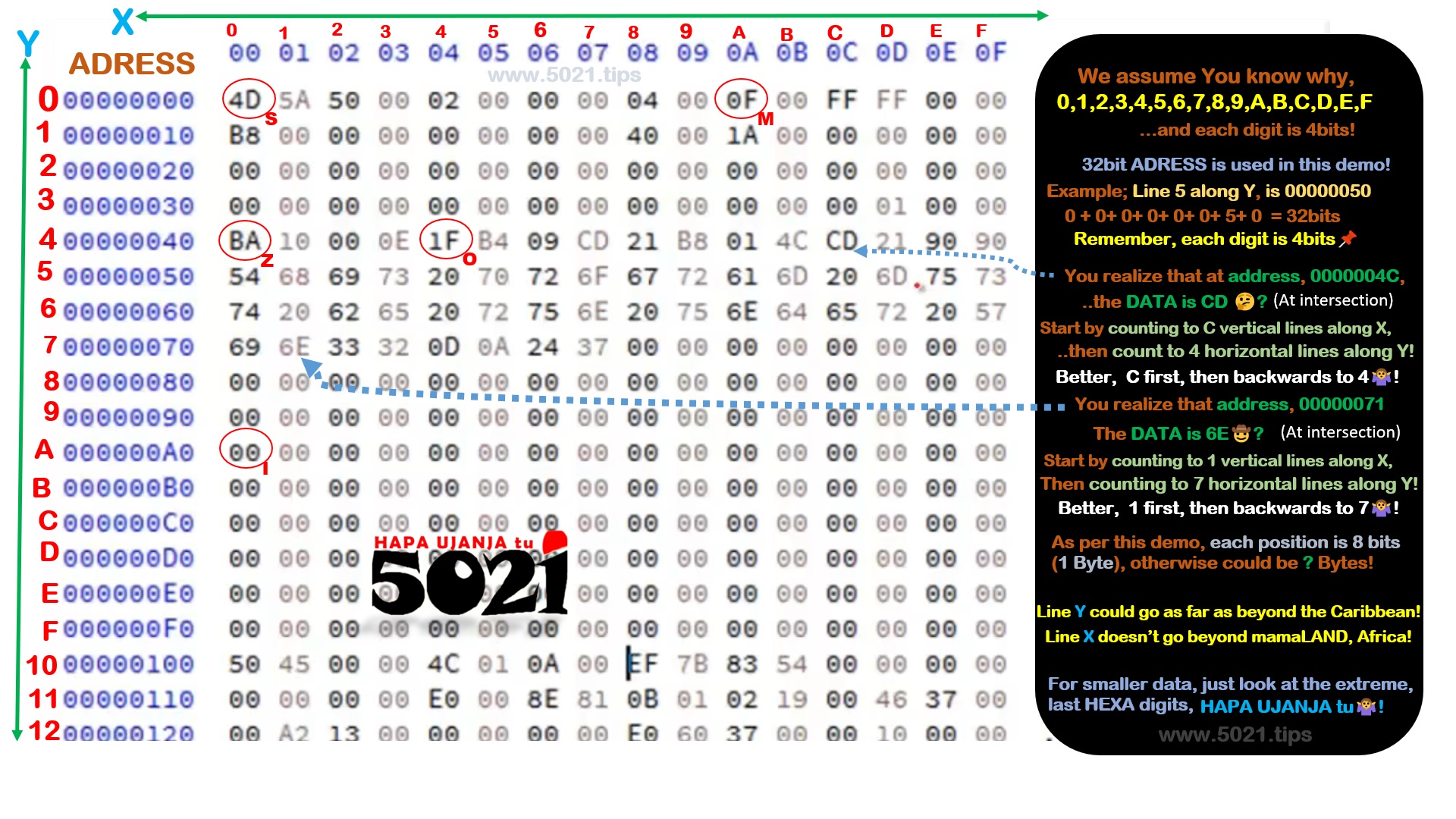 These (0,1,2,3,4,5,6,7,8,9,A,B,C,D,E,F) lines run vertically & horizontally!
For example;
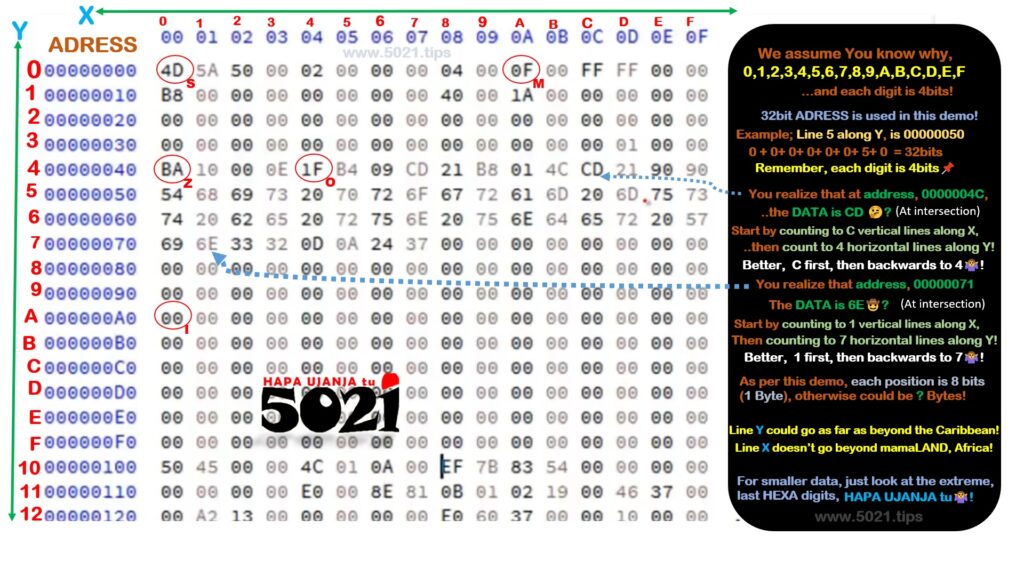
The Byte, 4D, labeled with letter, S, is located at 0 on the X axis, and again at 0 on the Y axis!
So, point S has address 00000000!
Data 1F, at point O, is along latitude 4, and longitude 4, so this data’s address is 00000044!
In this👇 example, the size of the address is 32bits,
so is why I’m using 8 HEXA figures,
with each figure carrying 4bits!
Data BA, at point Z, is along latitude 4, and longitude 0, so this data’s address is 00000040!
However way You easily choose to interpret the address😎!
It’s advisable You start reading from the last digit, backwards🤐!
For example, I give You address 0005021B?
You quickly know that the data is on longitude B,
then start looking for magic to find latitude 0005021😁🤣😂!
You may cram that;
longitudes (vertical) lines tend to be fixed,
while
latitudes (horizontal) lines can get as complicated as the data can be😂🤣😁!

Naaam, ‘Kun faya kun’,
Everywhere, there are so many software TOOLS that You can use to practice without needing any hardware‘s to start being a EEPROM ‘mjanja’🤷♂️!
Naaam, bisimi’Allah🤞,
You may Click HERE, We keep putting some stupid software and samples of data for You to practice with, as You do extra research from wherever,
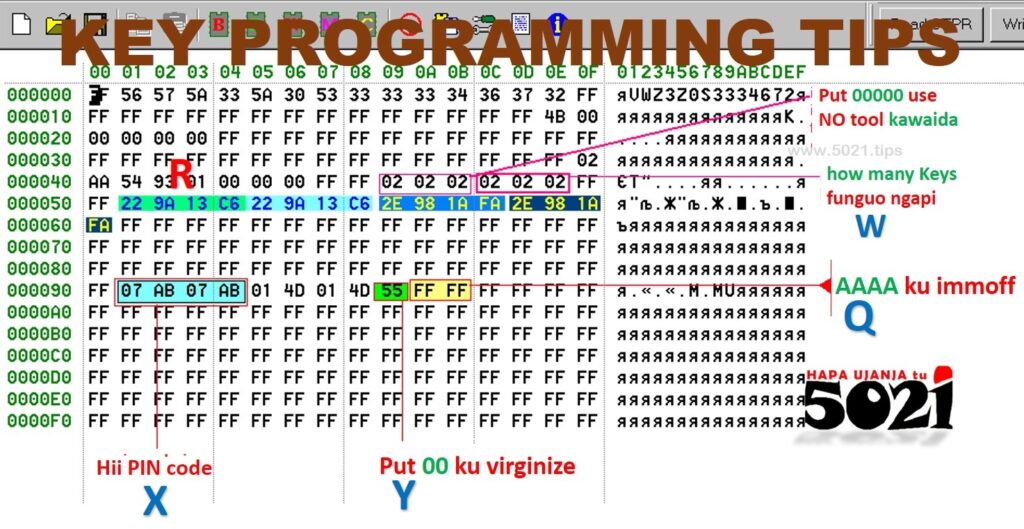
jazak’Allah😁🤣😂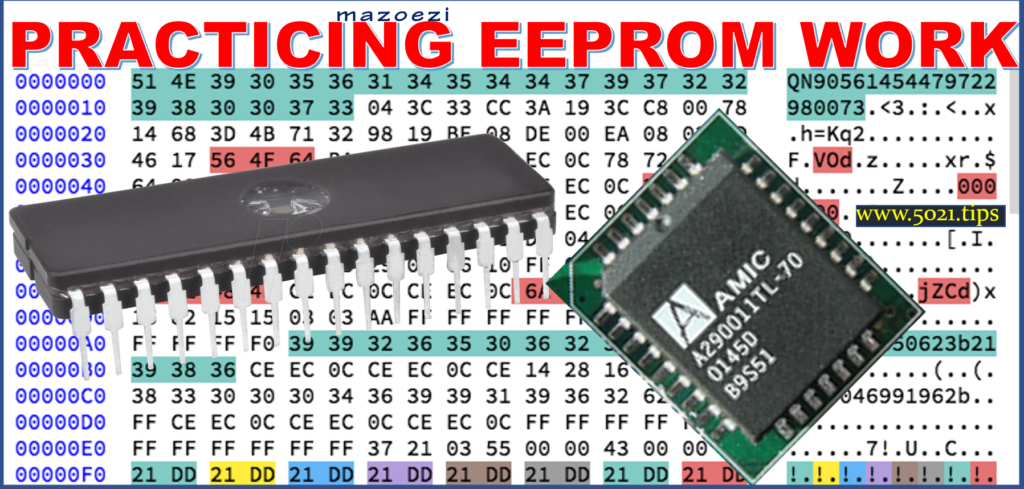 Lets be honest, look at this👇 DATA, for example🤔!
Can You, from wherever, just come know why or where to edit🤔?
Lets leave certain, deep research, tasks to certain ‘wananchi’😎!

There Niiga’s out there, their life is just about researching and creating sh*t from scratch🤷♂️!
Kwanza, YOU first just prioritize on skilling how to, READ, IDENTIFY, EDIT, WRITE, data without first questioning the WHY? 😂🤣😁 bomboclat!
Niiiga, as long as Your sh*t works out🤷♂️!
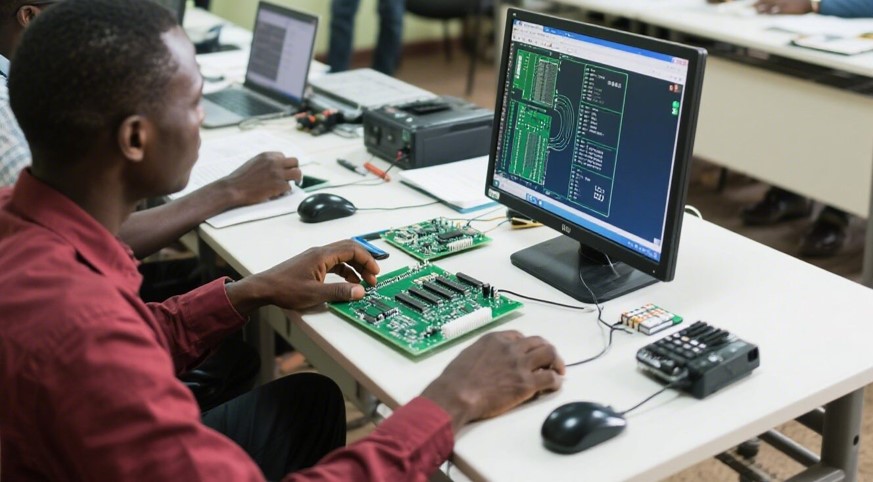 Respect & follow all those nonsensical whatever blaa bla on how to use tools that read & write data!
How to safely handle data this and that, all that, seen🤔?!
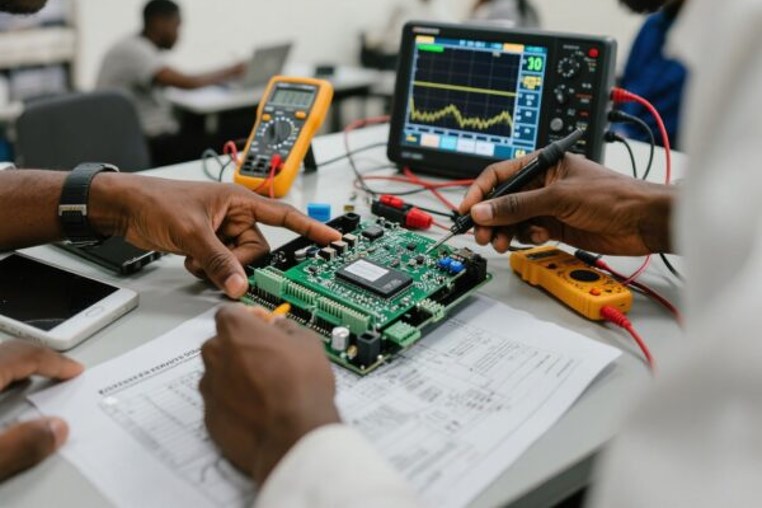
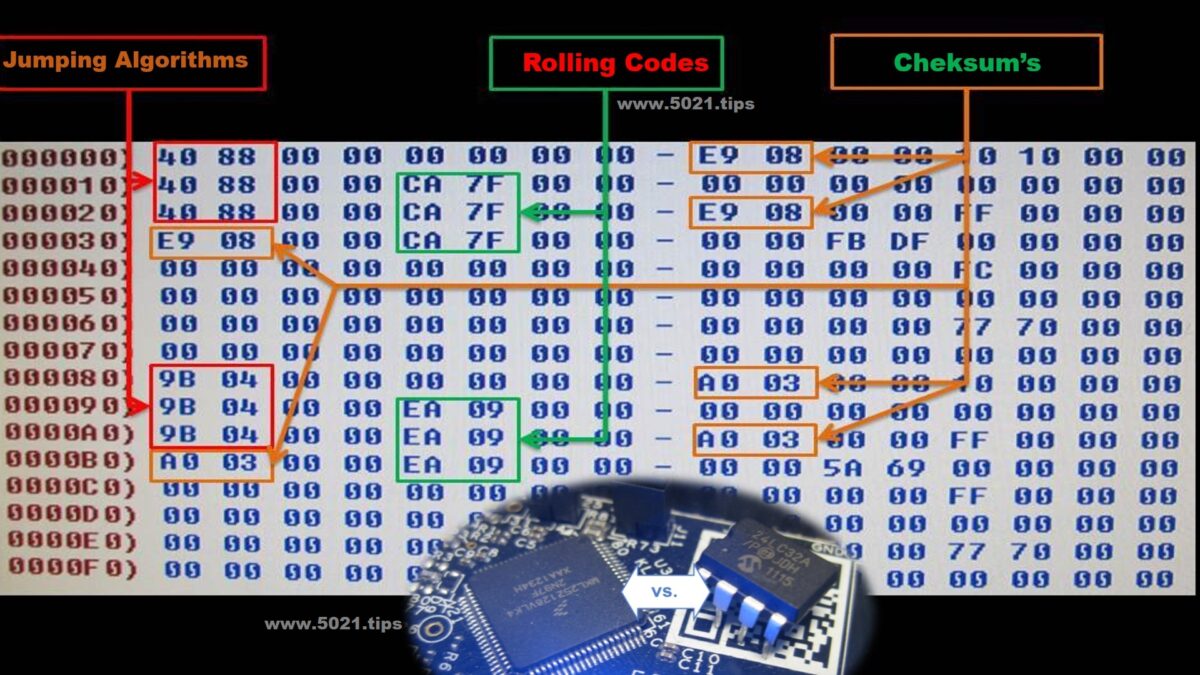
By the way, for that CHECKSUM nonsense
click HERE
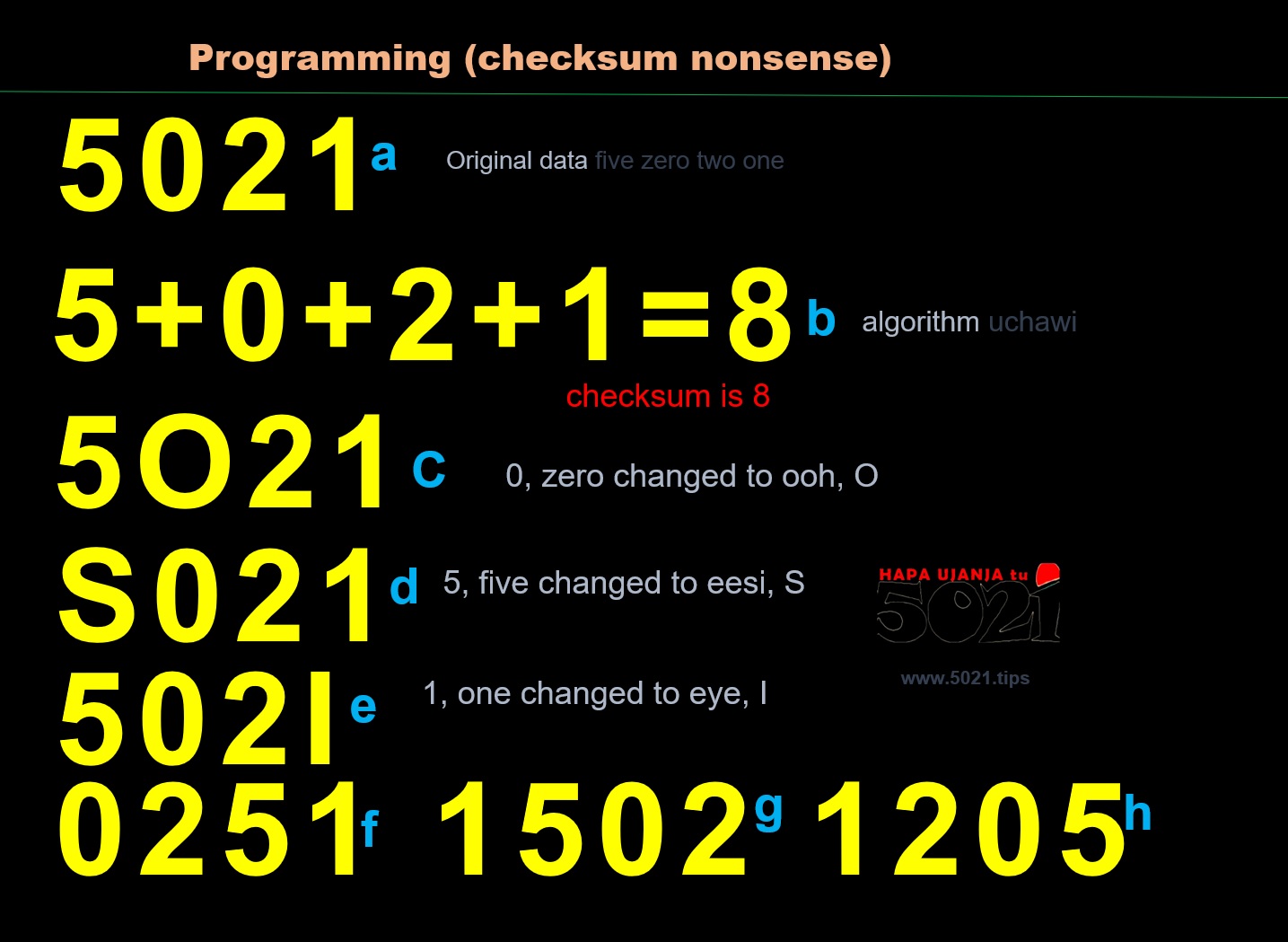
Calculate, Solve and or Download sh*t1
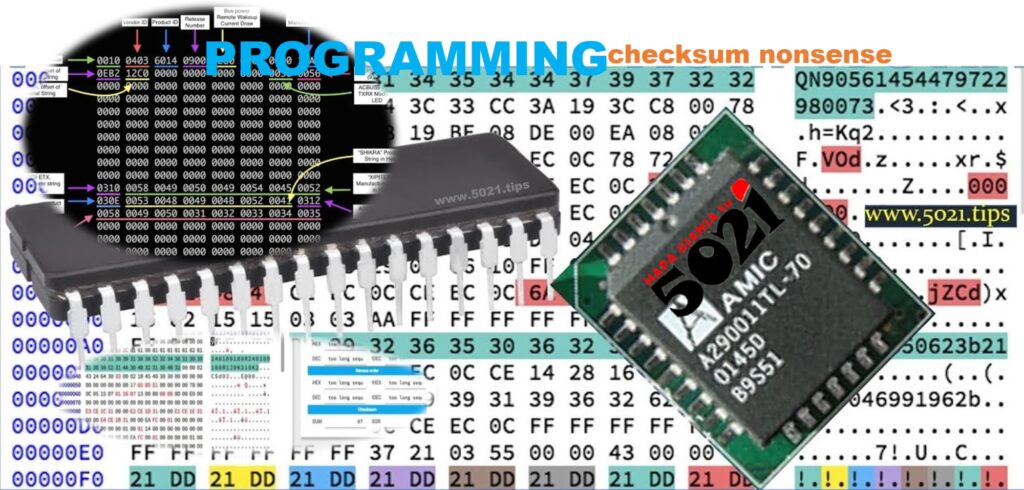
USELESS FILE CHECKSUM TOOLS 😁🤣😂
Depending on whatever ‘ujanja’ You wish to do,
DATA is everywhere😎!
Find 🤪DATA, insha’Allah🤞!
Remember;
From wherever whenever You get data,
OR someone helps You to edit data,
use these tools that compare data’s before,
and after any nonsense is done👌!
Click HERE get such TOOLS
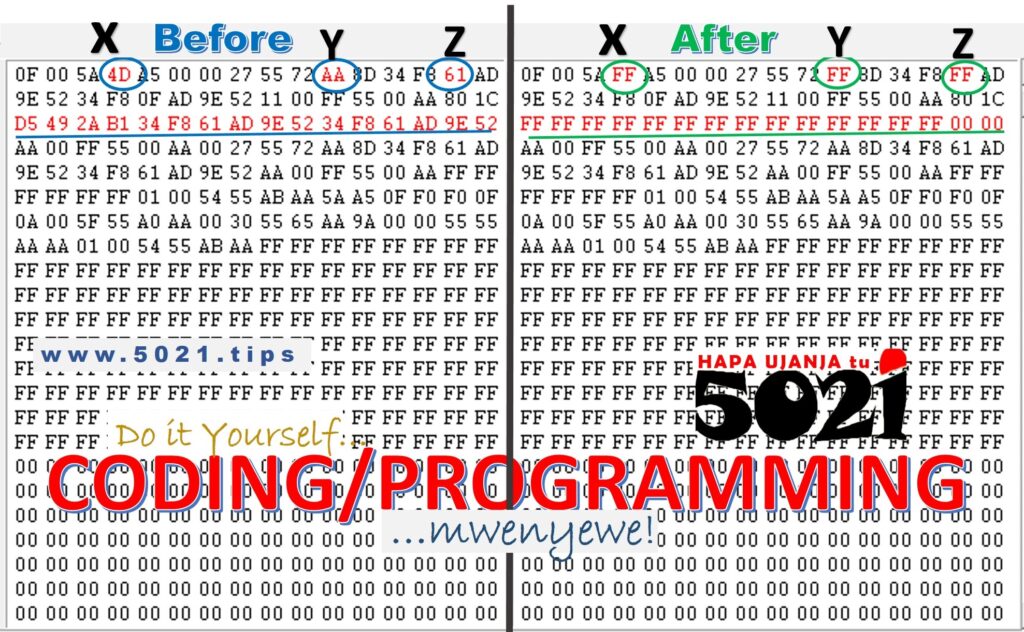 Discover where what data has been changed,
at what addresses🤠!
NEXT time, You want to do it,
You do it YOURSELF!
HAPA UJAJA tu🤷♂️!
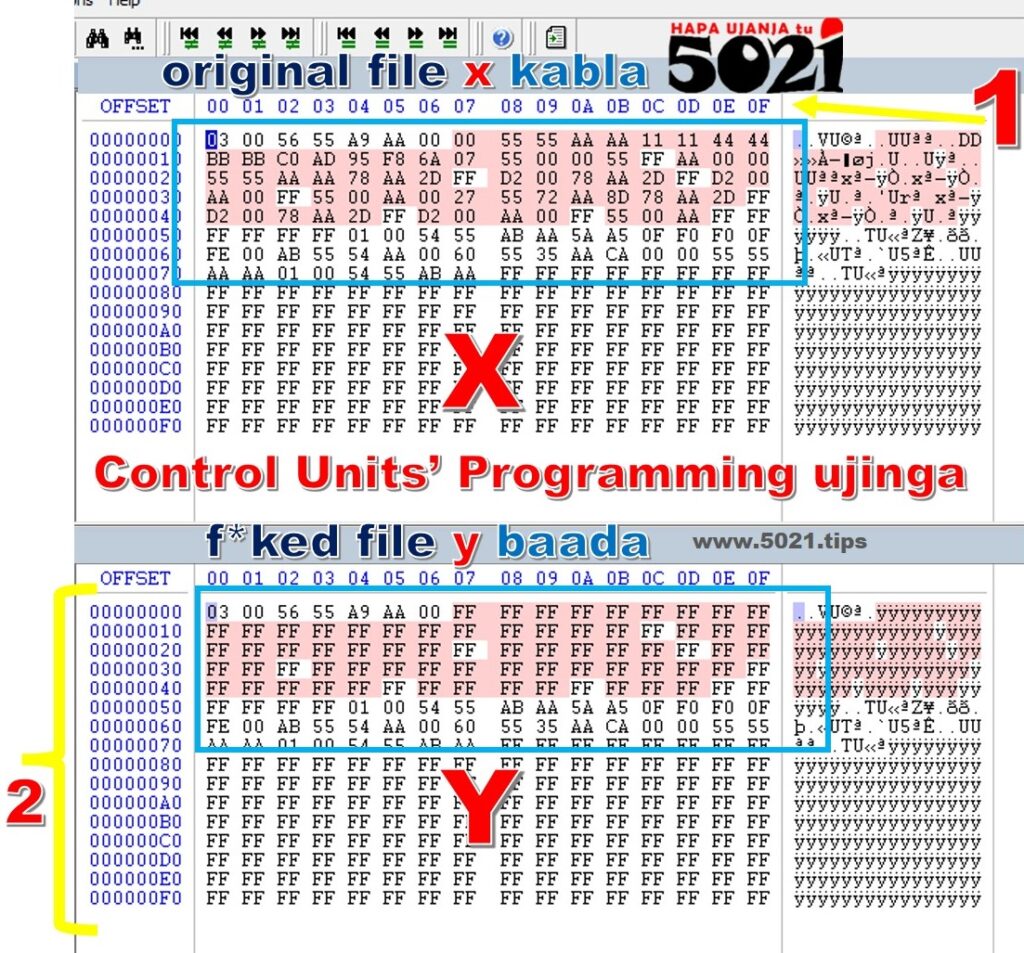
Especially, if you’re into playing with Vehicles’ DATA, immo off, DPF off, EGR off, Tuning files and whatever nonsense,
DON’T CLICK here, bomboclat😁🤣😂!

If You have time to waste,
You watch this useless VIDEO
demonstrate all Programming nonsense!
NOTE🚨
For OTHER explanations doing EEPROM work,
Click Here
If You have time to waste !
Kazi nyingi unaweza kufanya kwa kujua kuchezea data ya kwenye chip au EEPROM
(Electronically Erasable Programmable Read Only Memory)!
Hapa tunakumbushana taka taka zote kuhusu uchawi wa, kusoma, kuhifadhi, kutambua, kubadili, kuandika, nk, ya kwamba ata ukitajiwa tu address unajua niaje!
HAPA UJANJA tu👀
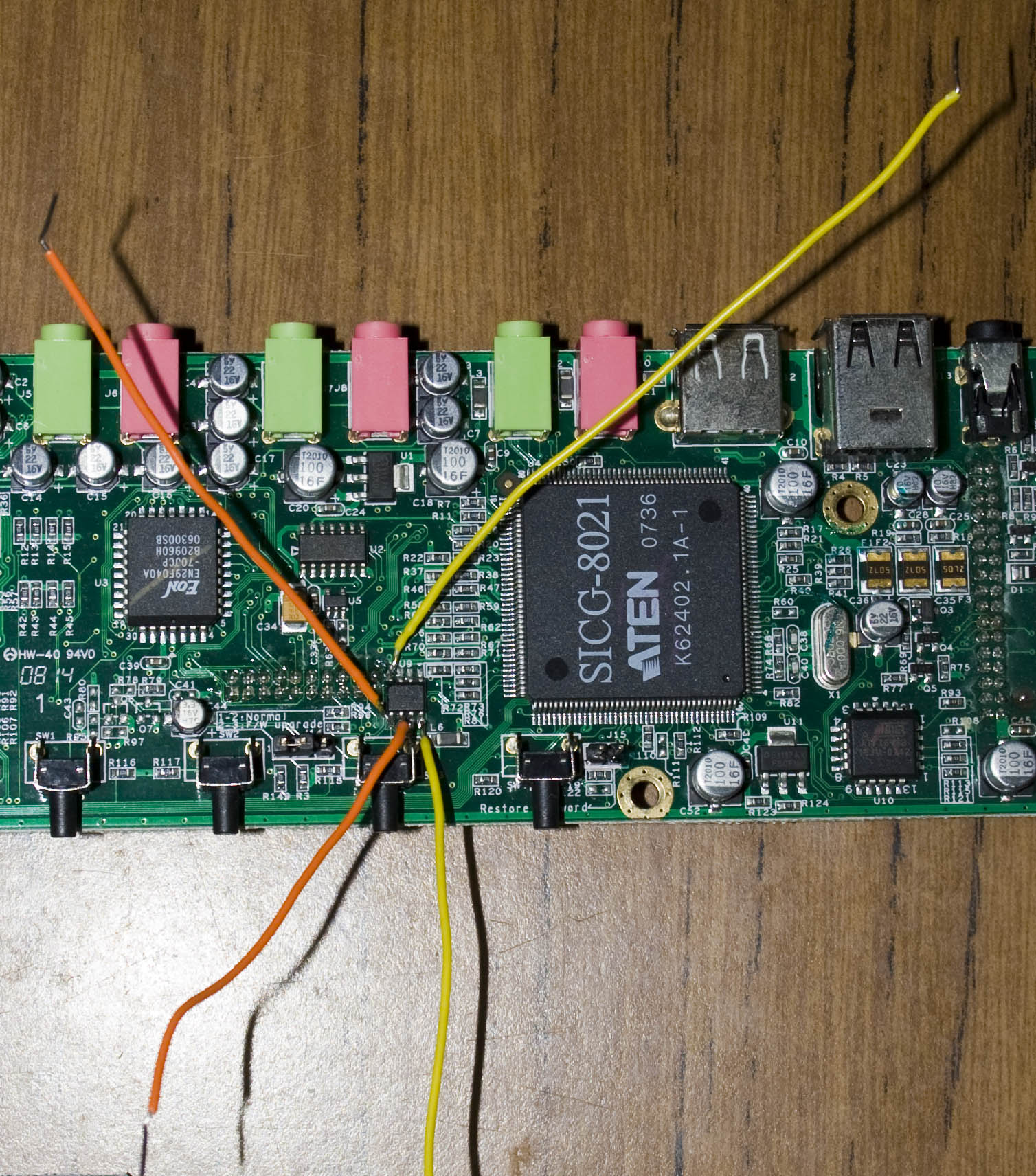
Ukumbuke kuwa mwangalifu na vifaa components za circuit board (motherboard)!
Sasa, ikiwa kifaa umefugua kime….🧐
….kwamba unadhani umeharibu kitu kwenye mother board, hakuna matata🤷♂️!
HAPA UJANJAtu, hii ndio jinsi ya kugundua,
kupata na kupima componets za ECU,
kisha suluhisha shida hiyo.
inshaAllah👇

Alafu remember kwamba ECU programming,
reading and or writing data,
can be done via boot, bench, or OBD modes🤷♂️!
Hakuna Matata, it’s Your choice🧐,
BUT each offers varying levels of access to, and which data You’re to deal with, seen🤔?
…including the so much nonsense we discuss here👇
Kwenye hii picha ya chini👇unaona blaa blaa ya namna data inakua’nga ndani ya EEPROM🤔?
In fact if You don’t want blaa bla talk too much,
click HERE
download data & software to practice with,
inshaAllah You learn while practice🤷♂️!
Sasa hizo blaa blaa, binary, HEX, address, nk,
vyote tumeoneshana kila,
kwenye hizi video👇!
Video hizi ni ndefu na kuna maneno mengi🙄,
na kama hutaki kuzitazama, no problem!
Ukitaka kufanya practical mazoezi ujifunze kwa vitendo tumeweka HAPA,
yaaani bonyeza HAPA, hata kama hauna mashine yeyote na kweli unataka kufanya mazoezi🤷♂️!
What we have done,
ni kuwekea software inasoma hizo data,
pamoja na mfano ya hizo EEPROM data
ili ufanye mazoezi ku edit, delete, blaa blaaa, seen?
👇👇👇
Alafu click HAPA this some not only about knowing the compatibility,
or interpreting the label, code name,
but also the terminal schematics of the EEPROM, function of each pin,
and whatever ping You could do, insha’Allah🤞

Madhara ya in-Circuit EEPROM programming
Before unnecessarily dismantling any ECU,
nor do any programming to Control Units,
…this Vehicles’ Electronic Control Systems‘ ujanja,
reminds You about the ECU peripherals, sensors & actuators,
…so You understand of how it’s made,
then know how it works, to make sense of all the components involved, why how all electrical wirings!
👇


kwanini 0123456789ABCDEF
REPRESENTING (labelling) HEX data
DATA ADDRESS reminder
Ukumbuke kuwa mwangalifu na vifaa components za circuit board (motherboard), ikiwa kifaa umefugua kime…🤷♀️
….kwamba unadhani umeharibu kitu kwenye mother board, hakuna matata, HAPA UJANJAtu, hii ndio jinsi ya kugundua, kupata na kupima componets za ECU, kisha suluhisha shida hiyo. inshaAllah👇
…….confusing EEPROM names
The data to for the, MicroProcessor & MicroController, a.k.a FLASH data, and EEPROM data, all could be in one memory module😉!
WinOLS ni programu yenye uchawi wa kuwezesha kubadilisha, kurekebisha data iliyomo kwenye ECU.
Ina maana unaeza kutoa/kuzima hizo mifumo zenye usumbufu kwenye gari, zikiwemo IMMOBILISER (kufanya immo off). kutoa DPF, EGR, ADblue, kubadili TURBO zenye umeme, yaaani inafanya kazi nyingi kama ECU tuning, uamuzi ni wako tu🤷♂️!
Click HERE

CHECKSUM ERRORS
With the skill of knowing how to READ, SAVE, DELETE, EDIT, LOCATE, eeprom data, you can do any about digital control electronics ujanja👌
Ukumbuke kuwa mwangalifu na vifaa components za circuit board (motherboard), ikiwa kifaa umefugua kime…🤷♀️
….kwamba unadhani umeharibu kitu kwenye mother board, hakuna matata, HAPA UJANJAtu, hii ndio jinsi ya kugundua, kupata na kupima componets za ECU, kisha suluhisha shida hiyo. inshaAllah👇
ECU 💻 cloning bungs, swapping data, BUT which data, where how it’s done, even damaged ECU🤷♂️